

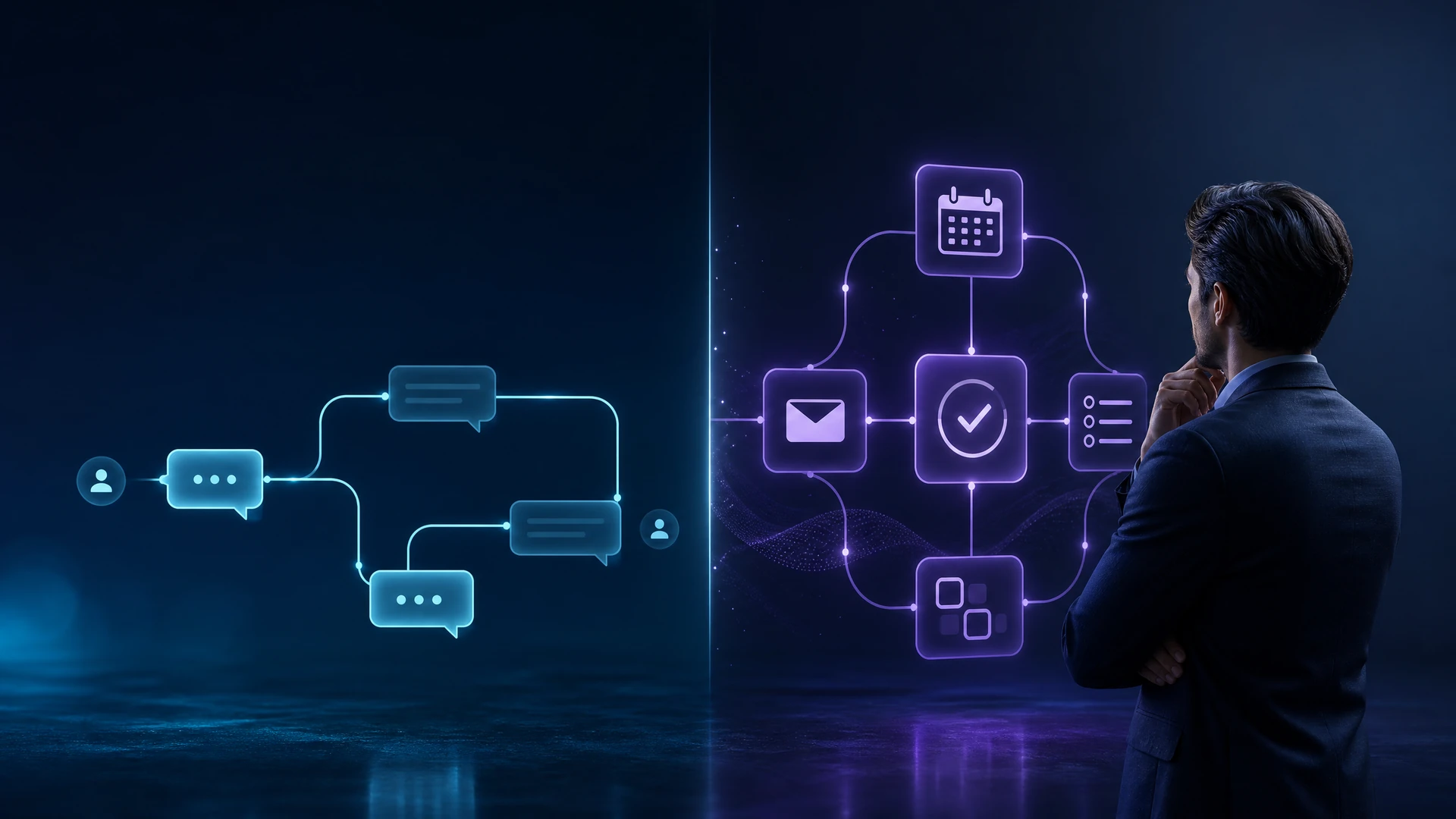
Short answer: pick a chatbot when you need reliable, scripted interactions at scale (customer FAQs, guided menus). Choose an AI agent when work requires multi-step decisioning, orchestration across systems, or autonomous follow-through that mimics an assistant. Both reduce workload, but they solve different problems and impose different risks and maintenance needs.
Table of Contents
ToggleHow AI agents and chatbots differ in practice
Chatbots are conversation-first tools that follow defined flows or intent classification to answer questions and complete single-step transactions. They excel when inputs, outputs and failure modes are predictable. AI agents are systems designed to pursue goals autonomously: they can sequence tasks, call APIs, fetch data from multiple systems, and make limited decisions without constant human prompts. That autonomy increases power but also increases the need for governance, monitoring and clear rollback strategies.
Decision framework: when to choose which
Use this table to evaluate common business needs and the practical choice between a chatbot and an AI agent. The right choice often depends on integration complexity, tolerance for autonomous action, and the clarity of outcomes.
| Business need | Recommended | Why | What to validate before deploying | Typical pilot scope |
|---|---|---|---|---|
| Customer FAQs and basic support | Chatbot | High-volume, repeatable queries; limited context needed | Accuracy of responses, escalation triggers, privacy of transcripts | Small set of intents covering top 20% of tickets |
| Order lookup and single-step transactions | Chatbot | Single API calls and predictable outputs | Authentication flow, intent routing, TX logging | Orders for a single product line |
| Cross-system workflows (e.g., support that updates CRM, schedules follow-ups) | AI agent | Coordinates multiple systems and follows multi-step logic | Integration security, error handling, rollback procedures | One end-to-end workflow with sandboxed integrations |
| Proactive outreach or autonomous task completion | AI agent | Acts on goals and can continue work across sessions | Consent model, rate limits, legal/regulatory constraints | Timeboxed agent running on a constrained task |
| Internal knowledge retrieval and guided troubleshooting | Chatbot or hybrid | Often needs both a guided UI and occasional agent-driven follow-up | Data access permissions, model hallucination mitigation | Support team pilot with human-in-the-loop |
Operational tradeoffs you must plan for
Chatbots are generally cheaper to operate initially and simpler to secure because their actions are constrained. AI agents reduce repetitive human work but demand stronger controls: detailed audit logs, explicit permissions for service accounts, and monitoring that catches undesirable autonomous behavior. Both approaches require continuous training, but agents often need more effort to manage edge cases and integration failures. Before committing, validate data residency, privacy, compliance and incident response requirements with legal and IT; these are business-specific and may rule out certain agent use cases.
Fit in customer experience and internal automation
For companies focused on faster service and predictable improvements in response time, chatbots are the low-friction starting point. If your priority is reducing human handoffs across systems or enabling staff to delegate tasks, AI agents are worth exploring. When evaluating customer-facing options, consider existing work on how automation affects response performance and routing: How AI Customer Service Automation Can Improve Response Times. For internal workflows that benefit from automation sequencing or periodic tasks, review documented candidates to automate first to avoid picking a complex initial project: 7 Business Workflows Worth Automating First with AI.
Practical pilot design checklist
Run a time-boxed pilot that minimizes risk and proves value. Use this checklist as your minimum viable pilot plan.
- Define a single measurable outcome (reduction in manual steps, average handle time, completion rate).
- Limit scope to a single product line, customer segment or internal team.
- Map data flows and list required integrations; ensure test environments exist.
- Set explicit permissions for any autonomous actions and create a manual kill switch.
- Define monitoring: logs, alerts for abnormal patterns, and weekly review cadence.
- Plan human-in-the-loop escalation and acceptance criteria for full rollout.
- Document retention, access controls, and confirm compliance with privacy and regulatory teams.
Frequently Asked Questions
Can I start with a chatbot and move to an AI agent later?
Yes. Many organizations begin with a chatbot to handle common interactions, then evolve to an agent when workflows need orchestration. Treat the chatbot as a component of a broader automation architecture, and design integrations so they can be reused by future agents.
How do I prevent an AI agent from making risky decisions?
Limit autonomy initially: constrain the agent’s action set, require approvals for high-risk tasks, maintain detailed audit logs, and build fail-safe rollbacks. Regularly review decisions the agent makes and add explicit guardrails against actions that violate policy or legal requirements.
What metrics should I track to evaluate success?
Track outcome-oriented metrics such as task completion rate, manual steps saved, mean time to resolution, and customer satisfaction when applicable. Also monitor safety signals: error rates, escalations to humans, and any unintended side effects on downstream systems.
Conclusion: Chatbots and AI agents are complementary tools. Start by matching the solution to the business problem—predictable question-answering is a chatbot domain; autonomous orchestration and multi-step goals are an agent domain—and pilot with tight scope, clear metrics and stringent governance. Always validate privacy, legal, and security requirements before expanding beyond a controlled pilot.
How Intelli Brand AI Can Help
Intelli Brand AI helps organizations move from a business goal to a practical, governed automation plan—starting with the workflow, data and people involved, not just the tool. Explore Intelli Brand AI services to discuss the next practical step for your business.






2 Responses